Building a Battery-Efficient Prayer Time Engine in Flutter
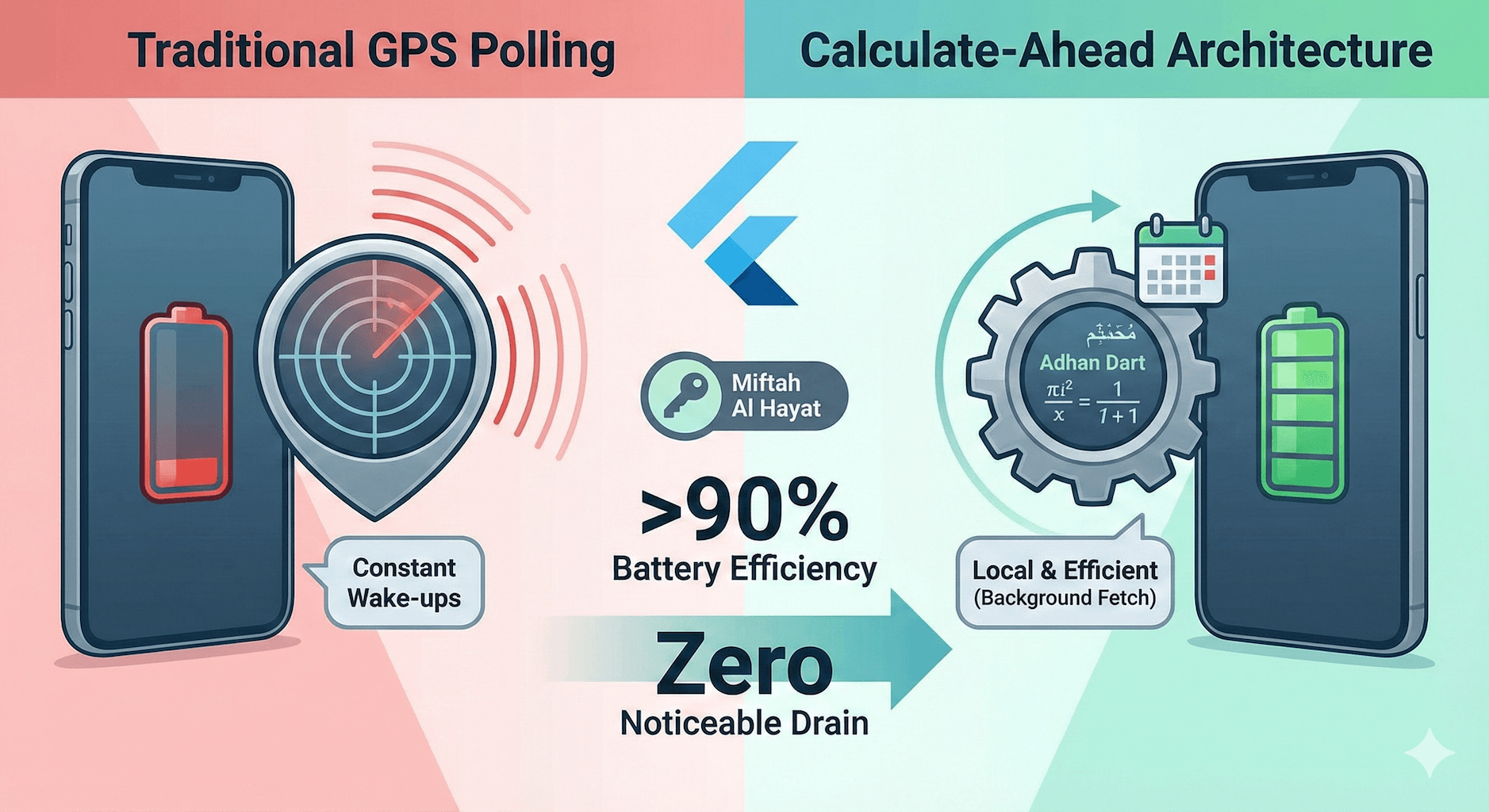
In the crowded market of Islamic lifestyle apps, "Battery Drain" remains the number one user complaint. It’s a technical paradox: users want precise prayer times based on their changing location, but they hate the battery cost of constant GPS polling.
Most developers solve this with a brute-force approach, keeping location services active or waking the CPU every few minutes. For Miftah Al Hayat, I refused to accept that trade-off. My goal was ambitious: build a location-aware prayer engine with zero noticeable battery impact.
Here is the engineering architectural breakdown of how we achieved >90% efficiency gains compared to industry standards.
The Anti-Pattern: Why Most Apps Drain Battery
To understand our solution, we first need to dissect the problem with traditional architectures.
Standard prayer apps often rely on active polling. They keep the GPS radio hot to "auto-detect" travel or abuse Android’s AlarmManager to wake the device every minute just to update a countdown UI. This prevents the phone from entering "Deep Doze" mode—a low-power state essential for modern battery life.
If your app keeps the phone awake, no amount of code optimization can save the battery. The radio hardware is the bottleneck.
The Solution: A "Calculate-Ahead" Architecture
Instead of asking "Where am I?" every minute, Miftah Al Hayat flips the model. We use a Local-First, Calculate-Ahead strategy that decoupling calculation from the current time.
1. The Mathematical Advantage (Adhan Dart)
We essentially "pre-compute" the future. Upon installation or location change, we use the adhan_dart library to calculate prayer times for the next 30 days locally on the device.
// Simplified Logic: Calculate once, use for weeks
final coordinates = Coordinates(lat, lng);
final params = CalculationMethod.muslimWorldLeague();

// This runs in milliseconds and uses negligible CPU
final prayerTimes = PrayerTimes.today(coordinates, params);
graph TD
    A[Install App] --> B[Calculate 30 Days Locally]
    B --> C[Store Schedule in DB]
    C --> D[Schedule System Notifications]
    D --> E((Sleep))
    E -->|User Opens App| F[Show Time from Local DB]
    E -->|Background Fetch (Once a Day)| G[Check Location Change]
    G -->|No Change| E
    G -->|Changed > 50km| B
This ensures that for 99% of the app's lifecycle, it is essentially a static reader. It doesn't need to hit an API or query the GPS to tell you today's Maghrib time. It already knows.
2. The OS-Level Optimization (Background Fetch)
But what if the user travels? Instead of constant tracking, we leverage the OS's intelligent scheduling via background_fetch.
We wake the app up only once a day, typically when the OS determines it's efficient (e.g., when the device is charging and on Wi-Fi). During this brief window (often less than 30 seconds), we:
- Check the "Coarse Location" (network-based, low power).
- If the location has changed significantly (>50km), we re-calculate the schedule.
- We batch-schedule the system notifications for the next 24 hours.
// Efficient Batch Scheduling
await LocalNotifications.schedule([
    Notification(id: 1, time: fajrTime, body: "It's Fajr time"),
    Notification(id: 2, time: dhuhrTime, body: "It's Dhuhr time"),
    // ...
]);
3. The "Client-Side Projection" Trick
A subtle but critical optimization is how we handle the countdown timer. Beginners often run a background service to "tick" the timer.
In Miftah, the UI countdown is a purely client-side projection. The background process does absolutely nothing related to the UI. The UI simply looks at the stored static timestamp and calculates the difference: TimeRemaining = NextPrayerTime - CurrentSystemTime.
This means when you close the app, it truly closes. No hidden services. No "tick" events. Silence.
The Results: Engineering for Trust
By shifting from an "Active Polling" mindset to a "Schedule & Sleep" architecture, Miftah Al Hayat consumes <1% battery over a 24-hour period in background usage.
This wasn't just a technical optimization; it was a product decision. It allows us to market Miftah Al Hayat not just as "another prayer app," but as the privacy-first, battery-efficient alternative for the modern user.
This architecture is part of the "Local-First" engineering philosophy I advocate for mobile development—where privacy and performance are treated as foundational features, not afterthoughts.
[!TIP] Experience the difference: Download Miftah Al Hayat on the App Store or Google Play.